How to Create a Restaurant Menu: The Complete 2026 Guide
Create your restaurant menu step by step: categories, product cards, photos, pricing, combos, and why an online menu beats paper in 2026.
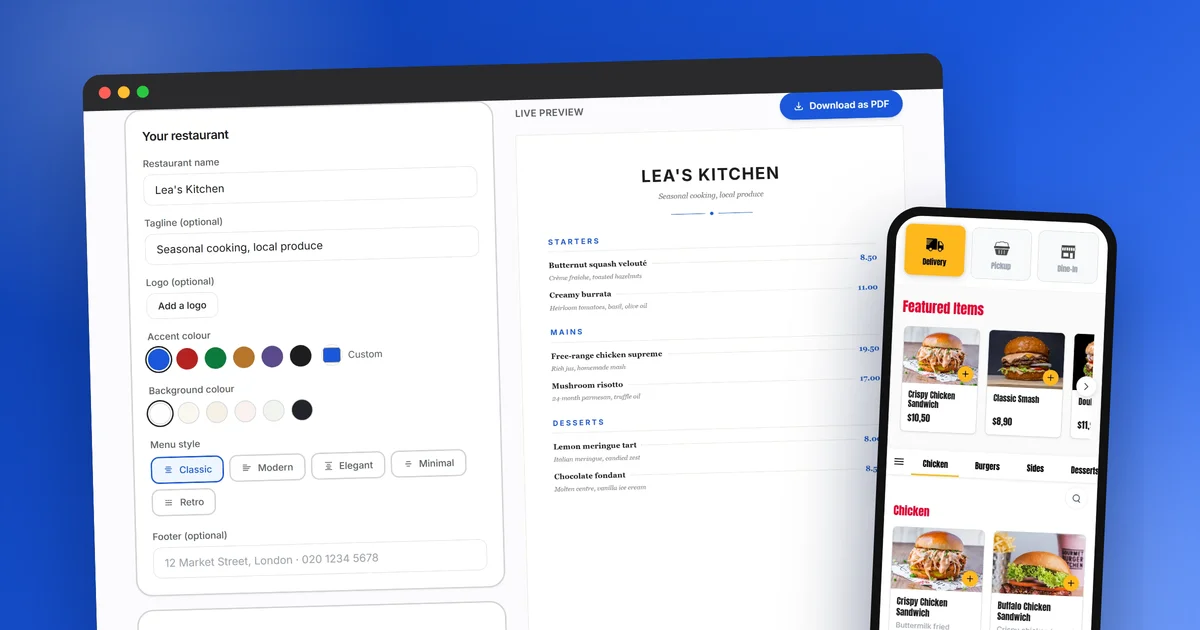
Your menu is your best salesperson. Before tasting a single dish, your customers read it, compare it and judge it, in the dining room and online. A good menu guides the choice, showcases your margins and makes people want to order; a confusing one drives them away silently. The good news: creating an effective restaurant menu is not rocket science, as long as you follow a few simple rules and pick the right medium. Here is the complete step-by-step guide.
Create your menu for free, right now
Categories, dishes, prices, 5 styles, a print-ready PDF: our free menu maker lays out your menu live, with no sign-up.
Open the menu makerThe rules of a menu that sells
Before opening an editor or calling a designer, lay the foundations. Three principles come up with every successful restaurateur.
A short menu. The beginner’s reflex is to offer everything so as not to lose a single customer. The opposite happens: too much choice slows the decision, dilutes your identity and complicates your stock. A tight menu, around 5 to 8 dishes per category, signals fresh products and puts the spotlight on your signature dishes.
A deliberate hierarchy. Not all your dishes are equal: some have better margins, others build your reputation. Your menu should guide the eye towards the ones you want to sell. Top of the category, with a photo, with a well-crafted description: the most visible spots go to your strategic dishes, not to alphabetical order.
Instant readability. A customer decides in a few dozen seconds. Understandable dish names, short descriptions that trigger appetite, prices that can be read at a glance: every friction you remove is an extra order.
Step 1: structure your categories
The structure of your menu is the floor plan of your shop. Follow the natural order of the meal: starters, mains, desserts, drinks. Then adapt to your concept: a fast-food joint will organise by product (burgers, tacos, salads, combos), a pizzeria by family (classics, specials, calzones), a traditional restaurant by moment (lunch deal, evening menu, specials).
Two concrete tips. First, stick to 6 or 8 categories at most: beyond that, navigation becomes a maze, especially on mobile. Second, put the category you want to sell most in first position. On an online menu, the first category gets the lion’s share of attention, exactly like the first page of a paper menu.
This is also the moment to plan your set menus: lunch deal, starter + main combo, kids’ menu. They simplify the customer’s choice and raise the average ticket. Plan them into the structure from the start, they deserve their own category.
Good news: you do not need a designer or a developer for this. Our free menu maker does exactly this job: you type your categories and dishes into a form, and the menu lays itself out live, in A4 format.
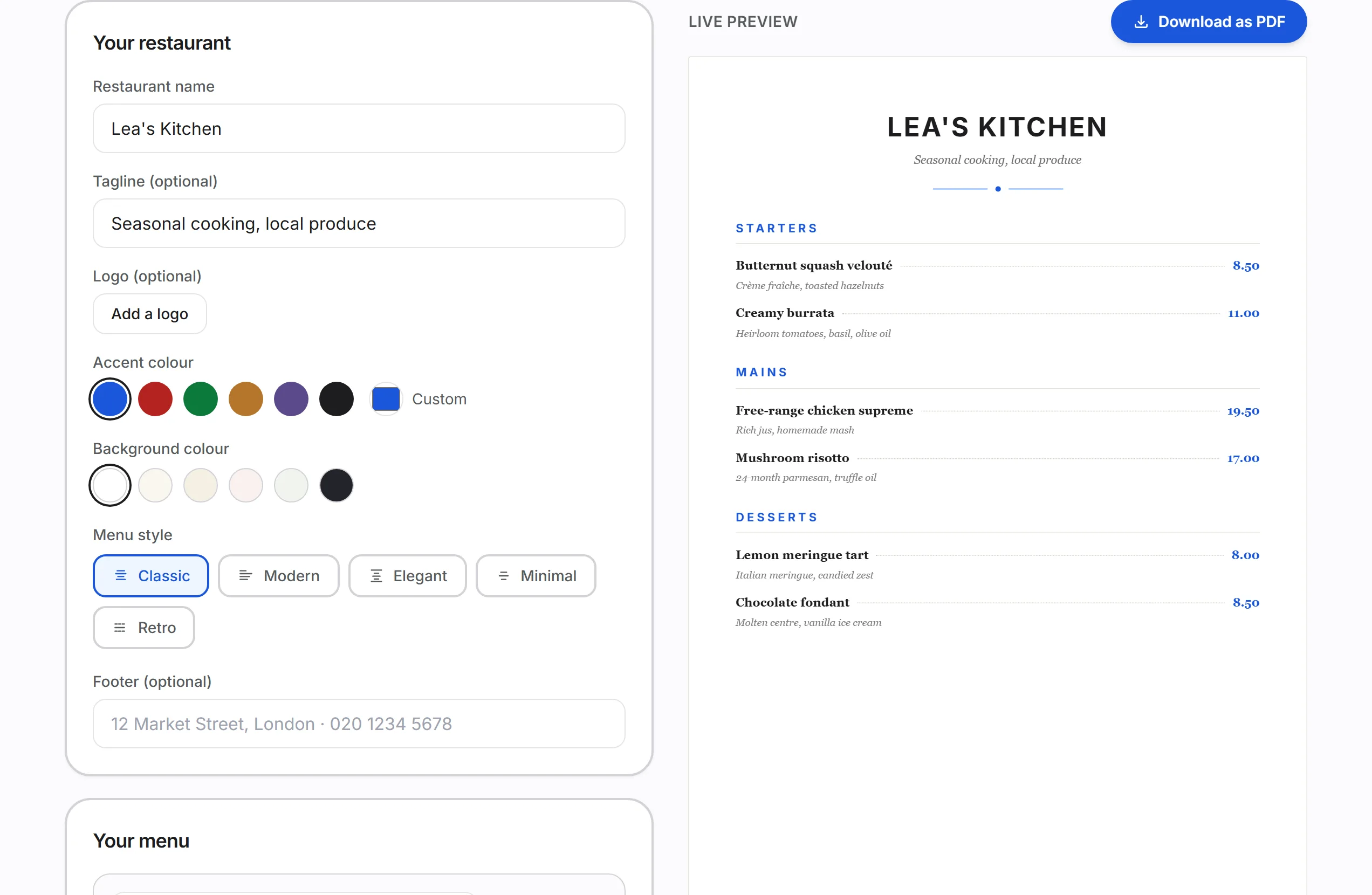 The free XPRIO menu maker: you fill in on the left, your menu composes itself on the right.
Step 2: craft your product cards
Every dish deserves three well-crafted elements: a name, a description, a photo.
The name must be understood in one reading. Creative names are fun, but if the customer has to guess what a “Chef’s Volcano” is, they will move on to the next item. The winning formula: an evocative name followed by a clear base (“The Mountaineer, raclette and smoked bacon burger”).
The description does not list ingredients, it triggers appetite. Two lines are enough: the 2 or 3 ingredients that set the dish apart, a word about the cooking method or origin if it is a selling point, and that is it. Mention allergens: in most markets, informing customers about major allergens is a legal requirement, with official guidance available from bodies such as the Food Standards Agency. A well-designed online menu displays them cleanly without cluttering the reading.
The photo is the number one order trigger online. No studio needed: natural light, a close crop on the dish, a neutral background kept consistent from one product to the next. The golden rule is honesty: the photo must look like what lands on the table, otherwise the disappointment shows up in your reviews.
On the tool side, every XPRIO product card gathers everything in one place: name, description, photo, price, allergens, options and availability. A sold-out item is hidden in one click, everywhere at once.
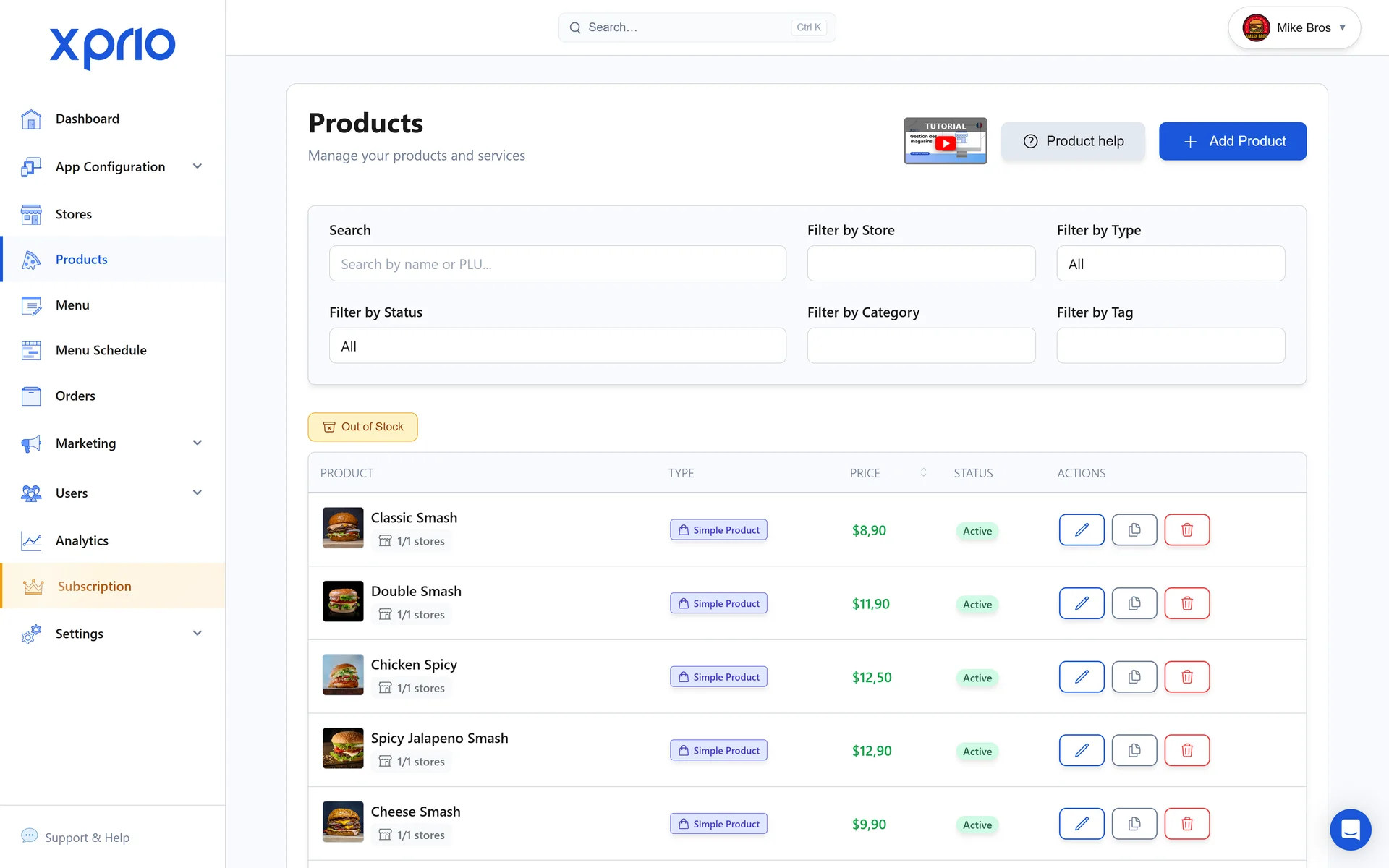 Product management in XPRIO: photos, prices, stock and options per dish.
Step 3: price intelligently
The right price is built in three steps. First, food cost: add up the ingredient cost of each dish and aim, as a general rule, for a ratio of 25 to 35% of the selling price. A dish whose food cost exceeds 40% works for your suppliers, not for you.
Second, consistency: your prices tell the story of your positioning. Too big a gap between two dishes in the same category is confusing, and perfectly matching the competitor across the street does not differentiate you. Look at your area, your concept, your service, and own your position.
Third, anchoring: place one premium dish at the top of each category. Few customers will order it, but its presence makes the rest of the menu feel more affordable and pulls the average ticket upwards. Conversely, avoid displaying a neat column of aligned prices that invites comparison: on an online menu, the price lives inside the product card, next to the photo, not in a table. Above all, experiment: with an XPRIO menu, a price change is applied (and reverted) in seconds, with nothing to reprint.
Step 4: options, extras and combos
This is the most underrated lever of menu creation. Options turn a single dish into dozens of variations without lengthening the menu: size, cooking preference, sauces, paid extras (cheese, bacon, double protein), choice of sides. Every well-designed extra raises the average ticket, and the customer feels like they are composing their dish rather than settling for a fixed choice.
Set menus and combos play the opposite role: they simplify. Starter + main + dessert, burger + fries + drink, kids’ menu: the customer buys a decision that has already been made, and you secure a full basket. On an online menu these mechanics become truly powerful: options appear at the moment of ordering, combos guide the composition step by step, and nothing depends on the waiter’s memory. That is exactly what XPRIO does: extras, sizes, sauces and set menus are configured in a few clicks in our editor, and work immediately on your website, your apps and table ordering.
Create your online menu today
Categories, products, photos, options and combos: the XPRIO editor publishes your menu instantly on your website and your mobile app.
Create your menu for free, online, right now
To save you from the blank page, we built a free menu maker that applies every tip in this guide, right in your browser:
- 5 menu styles: Classic, Modern, Elegant, Minimal and Retro, each with its own typography;
- your colours: a customisable accent colour and six backgrounds, from white and cream to dark slate;
- your identity: logo at the top, free-text footer at the bottom (address, phone, social handles);
- page breaks per category, so your desserts can get a whole page of their own;
- a preview in real A4 pages: what you see on screen is exactly what comes out of the printer;
- a print-ready PDF in one click, with no watermark, no sign-up and no credit card.
Your data never leaves your browser, and your menu is right there when you come back. Try a layout, switch styles, print, start over: that is what it is for.
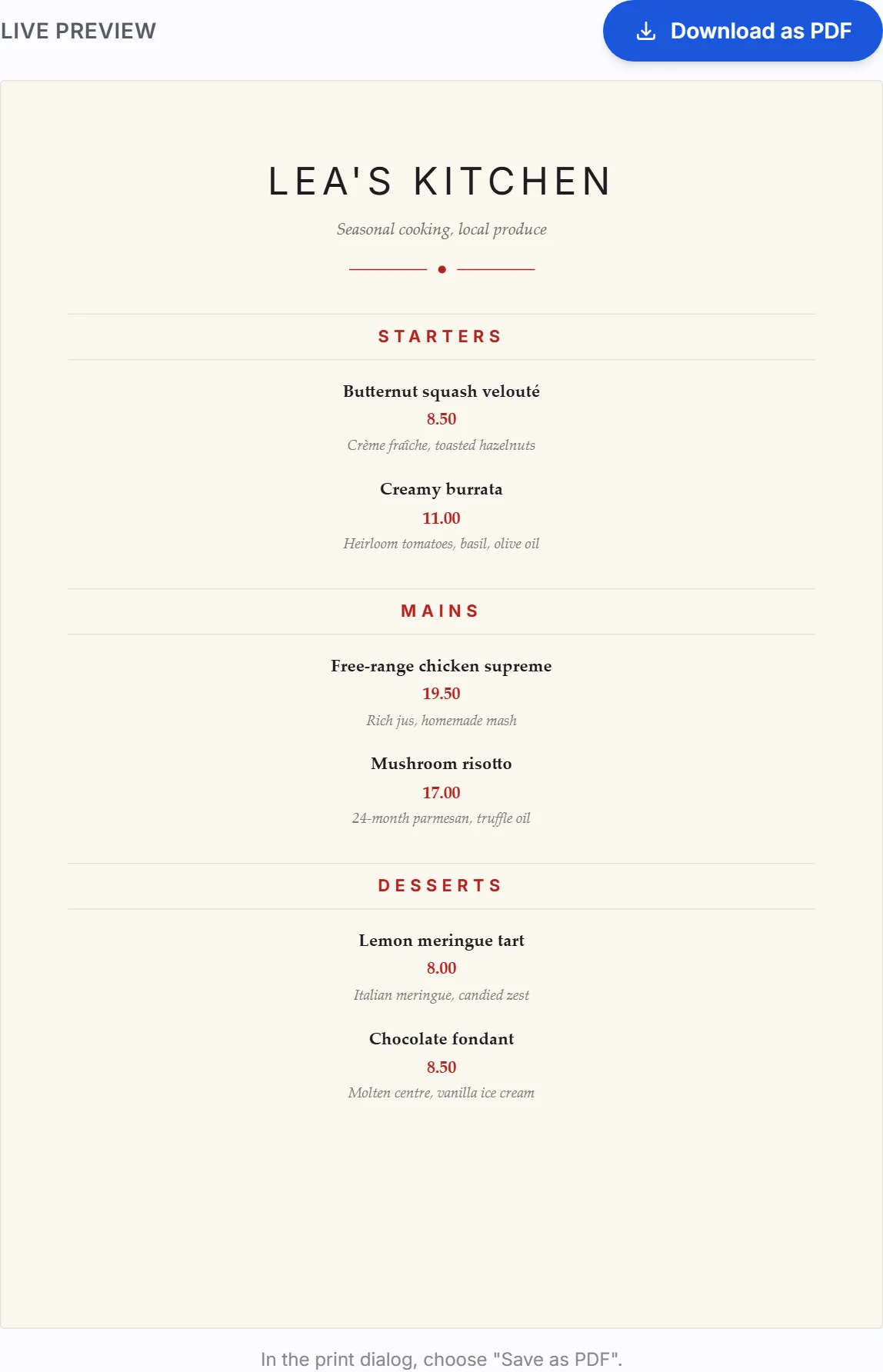 One click to change the mood: here the Elegant theme, cream background, burgundy accent.
Paper, PDF or online menu?
That leaves the question of the medium, and this is where 2026 changes the game.
| Medium | Updates | Mobile reading | Direct ordering | Cost over time |
|---|---|---|---|---|
| Paper menu | Reprint for every change | Not applicable | No | High and recurring |
| Scanned PDF (QR code) | New file for every change | Slow, painful zooming | No | Low but poor experience |
| Native online menu | Real time, unlimited | Designed for mobile | Yes, built in | Included in your platform |
The paper menu keeps its place in the dining room for charm and ritual, but it freezes your prices: every adjustment goes back to the printer, so it gets postponed, and the menu drifts out of sync with the reality of the kitchen. The PDF behind a QR code seems to solve the problem, but the experience is poor: slow loading, tiny text, zero interaction.
If you do still need a clean paper menu today, our free menu maker generates one as a print-ready PDF in a few minutes, with no sign-up.
A native online menu is alive. A price changes, it changes. A product runs out, it disappears. A lunch deal launches, it appears at 11:30 and switches off at 2pm. Above all, it does more than inform: your customers order directly from the menu, for delivery, takeaway, click & collect or at the table via QR code. On that point, there is no need to choose between your website and an app: both channels serve the same menu, and we detail how they complement each other in our article mobile app or website for your restaurant.
Publish your menu and keep it alive
Creating your menu is not a project you finish, it is a tool you steer. High-performing restaurateurs revisit their menu regularly: they look at what sells, adjust the prices of high-demand dishes, remove the ones that sleep, test a limited-edition novelty. With an online menu, each of these adjustments takes a few seconds and applies everywhere at once.
That is exactly what XPRIO offers: a visual editor where you create your restaurant menu in minutes, published instantly on your website and your branded iOS and Android apps, with ordering and payment built in. Categories, product cards, photos, allergens, options, combos, sold-out management: everything is steered from a single dashboard, with no technical skills. It is all included in our plan, and you can try the editor with the free trial before deciding anything.
Key takeaways
- Your menu is a sales tool, not an inventory: short menu, deliberate hierarchy, instant readability.
- Structure by categories following the order of the meal, with your strategic dishes at the top.
- Every product card deserves a clear name, an appetising description and an honest photo.
- Prices are built on food cost, positioning consistency and anchoring.
- Options and combos raise the average ticket while simplifying the choice.
- The native online menu is the only medium that updates in real time and turns reading into ordering.
Your online menu, website and apps in 72 hours
Create your menu in the XPRIO editor and publish it on your website and your branded iOS and Android apps, with ordering and payment built in.
Start my free trialFrequently asked questions
How many dishes should a restaurant menu have?
The long-term trend is towards short menus: 5 to 8 dishes per category is plenty. A tight menu signals freshness, simplifies stock management, speeds up the customer's decision and puts the spotlight on your signature dishes.
How should I structure the categories of a restaurant menu?
Follow the natural order of the meal: starters, mains, desserts, drinks, then add your concept-specific categories (burgers, pizzas, lunch deals). Place your most profitable categories at the top, that is where customers look most.
Should I put photos on my restaurant menu?
Online, yes, it is almost mandatory: the photo is the number one order trigger on an app or website. Use real photos of your dishes, framed close, with natural light and a consistent background from one product to the next.
How do I price my restaurant menu?
Start from the food cost of each dish (aim for roughly 25 to 35% of the selling price), check consistency with your positioning and your area, then use anchoring: one premium dish at the top of each category makes the rest of the menu feel more affordable.
Is a paper menu, a PDF or an online menu better?
Paper keeps its place in the dining room, but it is expensive to keep up to date. A scanned PDF is slow and hard to read on mobile. A native online menu is the only one that updates in real time, allows direct ordering and works on both your website and your app.
Get hands-on with XPRIO
Mobile app, website, order management: all live in 72 hours. No commitment.
Start my free trialRelated articles
Click & Collect, Delivery, or Pickup: Which Channel Should Your Restaurant Choose in 2026?
Click and collect, delivery, or takeout: a complete comparison of costs, margins, and strategy to pick the right channel for your restaurant in 2026.
How Much Do Delivery Platforms Really Cost a Restaurant Owner in 2026?
Delivery platform commission, hidden fees, margin impact: a full breakdown of the real costs and viable alternatives in 2026.
Take Back Control: The Practical Playbook to Gradually Leave Third-Party Delivery Platforms
Leave delivery platforms with no risk: a 6-month switch plan, concrete weekly steps, and measured margin recovered for restaurant operators.