Create your restaurant menu. Online today.
Products, photos, options and prices: build your menu and publish it on your website and app. No time? Send us a photo and we'll enter it for you.
- No commitment
- Support 7 days a week

How it works
Your menu, in 3 steps
Start for free with your menu, then move to the full online restaurant when you are ready.
Create your menu for free
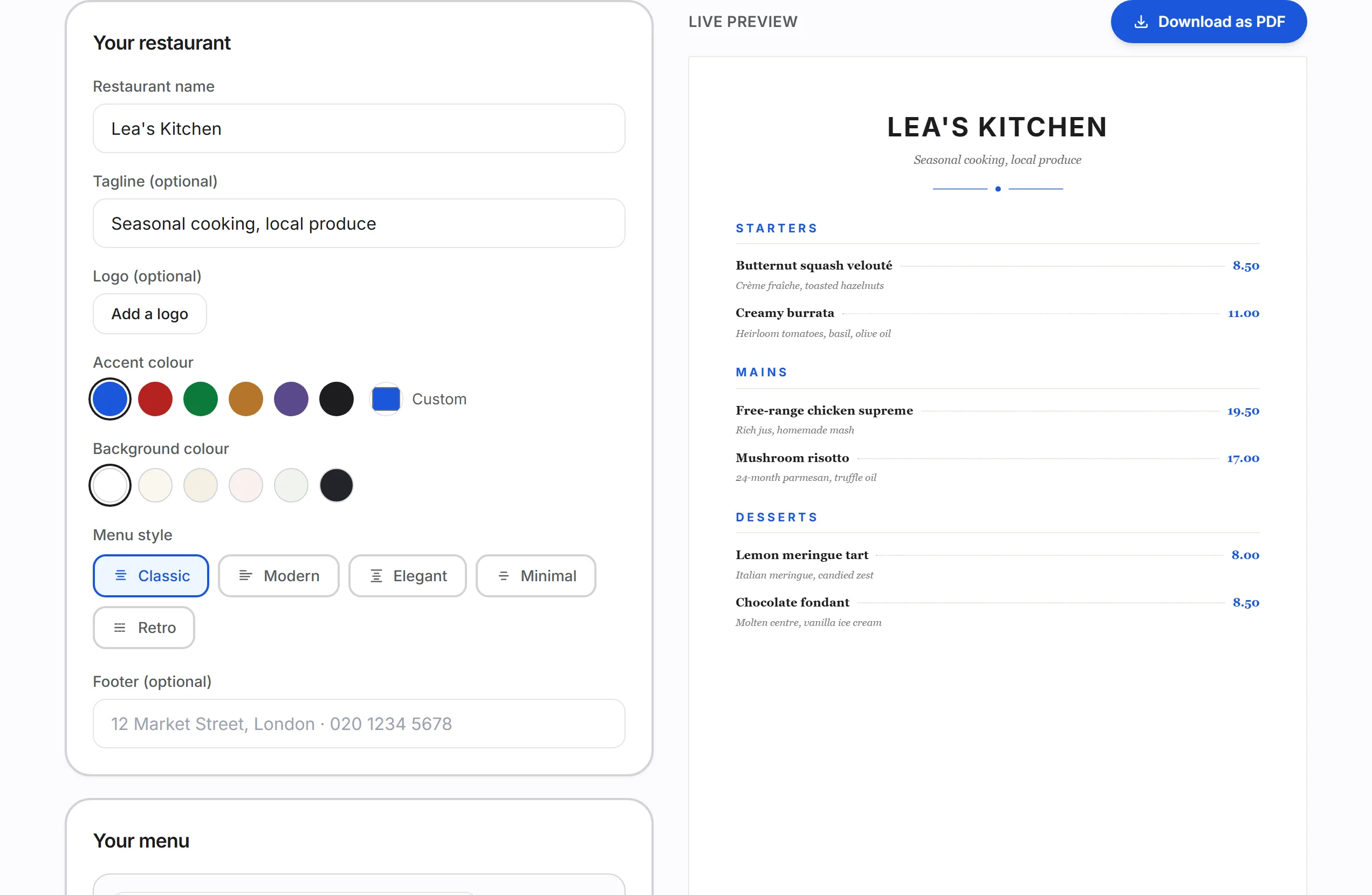
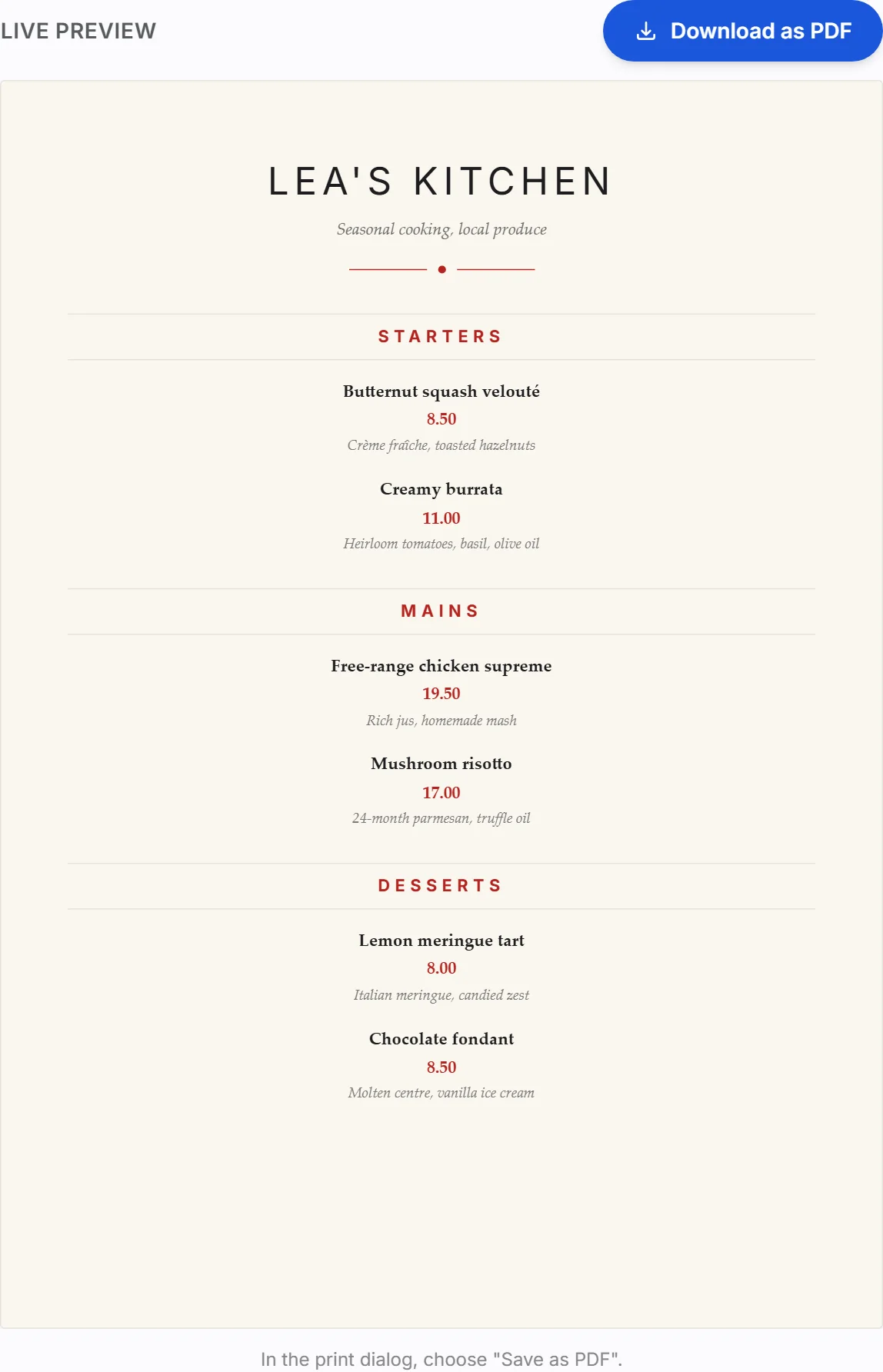
Categories, dishes, prices, 5 styles to pick from: our free menu maker lays everything out live and gives you a print-ready PDF.
Put your menu online
XPRIO turns the same menu into an ordering website, live the same day, and branded iOS and Android apps, published within a week.
Take the orders
Delivery, takeaway, click & collect, table ordering: your customers order and pay directly, with no commission.
Start with your menu, it's free
No sign-up, no credit card: you fill in your dishes, the tool lays them out, you download the PDF.
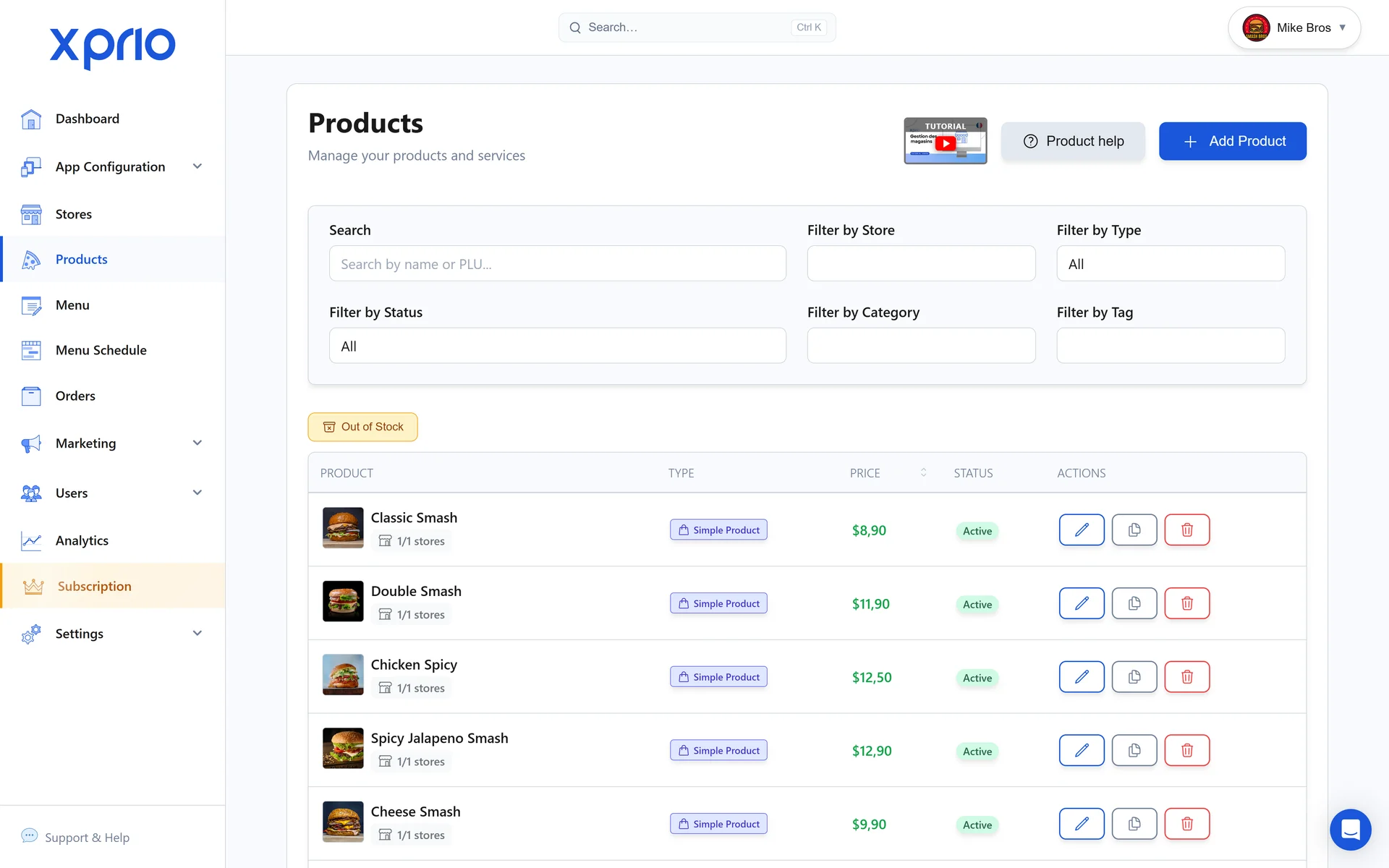
Your products, your prices, your sold-out items
Change a price, mark an item sold out, add a new dish: everything updates everywhere, instantly.
Published everywhere at once
With XPRIO, your menu lives on all your sales channels at the same time.
Your website
Your customers browse your menu and order online from any browser.
Your iOS and Android apps
Your menu inside your own branded app, in your colours, with ordering and payment built in.
QR code at the table
One QR code per table: customers scan, browse the menu and order without waiting.
Your paper menu costs more than you think
A price change, a sold-out dish, a new lunch deal: with a printed menu, every change goes back to the printer.
Still need a paper menu today? Create one for free with our tool →

Your menu is just the beginning
XPRIO is not just a menu editor: it is the complete tool that runs your restaurant online.
Loyalty
Points, rewards and referrals in your colours, built right into your menu.
Promo codes & promotions
Happy hour, lunch deals, flash offers: set up in a few clicks, applied automatically.
Push notifications
Re-engage your customers directly on their phone, with no middleman and no commission.
Table ordering
One QR code per table: customers order and pay from your menu without waiting.
Delivery & click & collect
Live orders, your own delivery zone, your drivers tracked in real time.
Analytics
Best sellers, peak hours, average basket: fine-tune your menu with real numbers.
And here is what your customers will see
Every XPRIO restaurant gets an app and a website in its own colours. Flick through our showcase themes.
Try free for 10 days


FAQ
Frequently asked questions
Everything we get asked about creating a menu.
How long does it take to create a restaurant menu online?
For a typical menu of 30 to 60 products, allow one to two hours, photos included. The XPRIO editor is built for speed: you create your categories, add your products and publish, with no technical skills required.
Can I create my menu for free?
Yes. The free trial gives you access to the full editor: you build your menu, your website and your app, with no commitment. You only pay if you decide to continue.
Can I edit my menu once it is published?
Any time, as often as you like. Prices, photos, availability, promotions: every change is visible immediately on your website and your app, with no review process and no delay.
Does my menu work for delivery, click & collect and dine-in?
Yes. The same menu powers delivery, takeaway, click & collect and table ordering via QR code. You manage it once and it is up to date everywhere.
What happens to my paper menu?
You can keep it for the dining room if you like, but you no longer have to reprint it for every change: the QR code on the table always points to the up-to-date version.
Your regulars already order from you.
Get them ordering through your app.
10 days to try it, no card needed.
- 10-day free trial
- No credit card required
- No commitment
