QR code menu and table ordering
QR code ordering at the table, with no app to download
Customers scan the QR code on their table, browse your menu, order and pay from their phone. The order reaches the kitchen with the table number.
- No commitment
- Support 7 days a week

A restaurant QR code menu that does more than show the menu
Many QR code menus just display a PDF. With XPRIO, each table's QR code opens your interactive menu: photos, options, allergens and, above all, the ability to order and pay directly, without waiting for a server.
Customers have nothing to download and no account to create: they scan, they order. The order lands on the orders screen and on the kitchen display with the table number. On the floor, you save time on every order taken, and tables turn faster at peak times.
Your QR code menu is always up to date: a sold-out item or a new price is changed in seconds, with nothing to reprint.
Win-win
Faster service, happier customers
Table ordering takes the pressure off your team and saves your customers from waiting.
For your restaurant
-
Fewer orders to take
Your team can focus on service and welcoming guests, not on the notepad.
-
Photos make people add a drink
Options, extras and suggestions appear at the right moment, without staff having to push.
-
Fewer mistakes: customers enter their own order
Options and comments reach the kitchen exactly as chosen, with no re-keying.
For your customers
-
Order straight away
No need to catch the server's eye: they order when they're ready.
-
Nothing to download
The QR code opens in the phone's browser, with no app and no account.
-
A clear menu
Photos, descriptions and allergens, in their own language (6 available).
Orders arrive with the table number
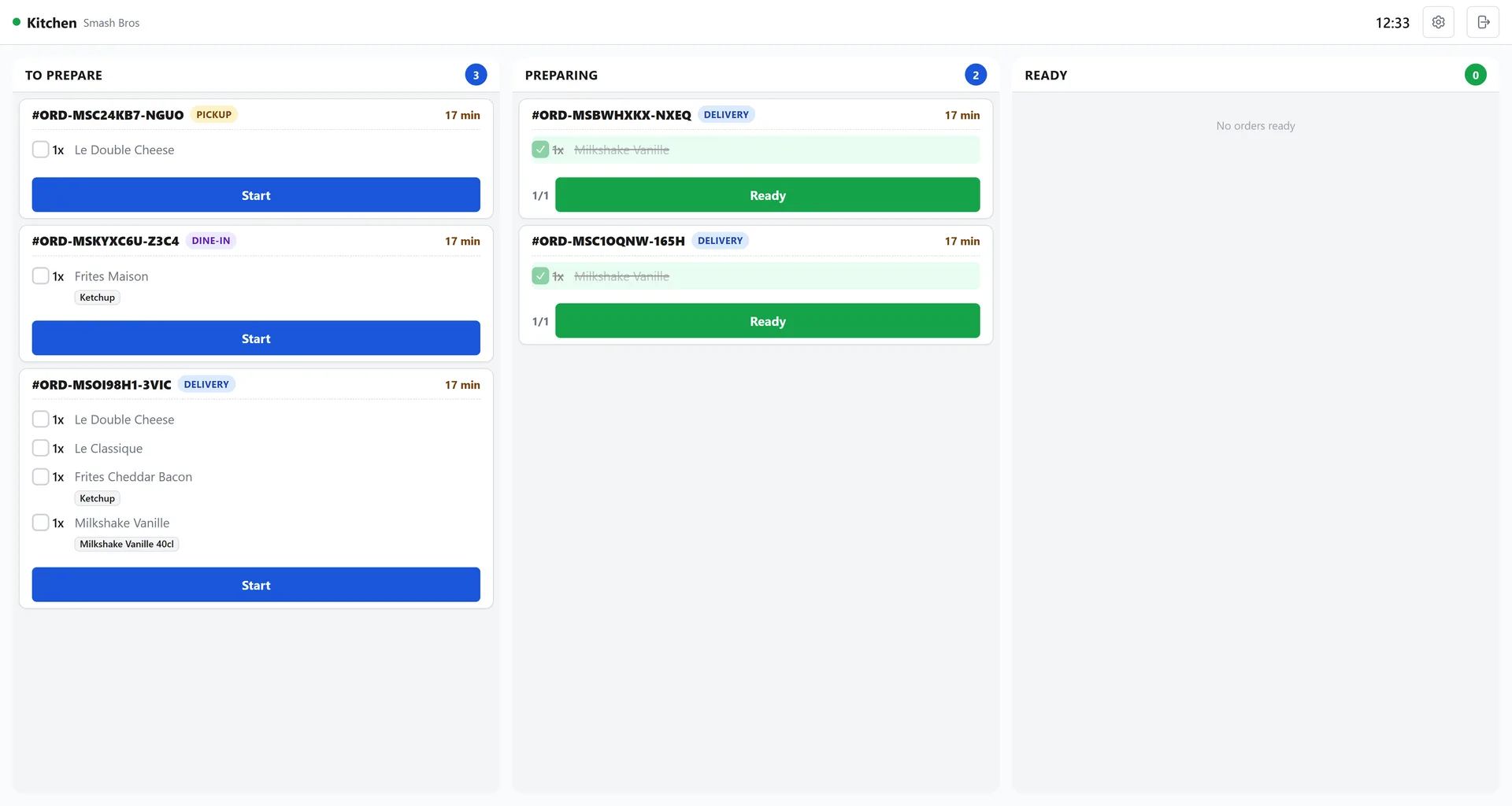
Every order placed from a table shows up on the orders screen and on the kitchen display, with the table number. You cook, you serve, no re-keying.
- A unique QR code per table
- Three-column kitchen display
- Receipt ready to print
- Customer notes visible
A menu that's always up to date, no reprinting
Edit your menu from the admin or your phone: prices, photos, sold-out items, lunch menus. The QR code menu on every table is updated instantly.
- Photos, options and extras
- Menus and set meals by time of day
- Hide sold-out items in one click
- Same menu on the website and the app

You stay in control of the floor
Table orders arrive on the same orders screen as takeaway and delivery orders. You see everything, you accept, you follow every table.
- Pay online or at the end of the meal
- Table, takeaway and delivery orders together
- Print-ready QR codes
- 3 locations included in one account, more as an option

Getting started
Your tables set up in a day
- 1
Create your account
Table ordering works from the start of your 10-day free trial.
- 2
Add your tables
XPRIO generates a QR code for each table, ready to print.
- 3
Place the QR codes
On tables, at the counter, on the terrace: orders go straight to the kitchen.
Table ordering included, no fee per order
No fee per table or per order: QR code ordering at the table is included in the subscription, along with the ordering website, the app and loyalty.
Frequently asked questions
QR code ordering: your questions
How do I create a QR code menu for my restaurant?
In XPRIO, you add your tables and a QR code is generated for each one, ready to print. It opens your interactive menu, where customers can browse and order.
Do customers have to download an app?
No. The QR code opens in the phone's browser. No app and no account needed to order at the table.
Do customers pay at the table?
You choose: online payment when ordering, by card, Apple Pay or Google Pay, or the usual payment at the end of the meal.
How much does a QR code ordering system cost?
It's included in the XPRIO subscription, from $129 a month in the US (£109 in the UK, €119 excl. VAT in the eurozone), with no fee per order or per table.
Do I need any hardware?
No. A phone or tablet to receive orders is enough, plus a printer if you want to print receipts from your phone or tablet.
Can I use it on a terrace or in a food court?
Yes. Each spot can have its own QR code: table, terrace, counter. The order arrives with the right number.
You might also like
Online ordering
Your own branded ordering site, with no commission on your sales.
Restaurant app
Your own iOS and Android app, under your name, on the App Store and Google Play.
Loyalty
Digital loyalty card, referrals and offers to bring your customers back.
Fast food
Burgers, kebabs, tacos, snacks: online ordering, kitchen display and loyalty.
Your regulars already order from you.
Get them ordering through your app.
10 days to try it, no card needed.
- 10-day free trial
- No credit card required
- No commitment
