Restaurant Online Ordering: How to Set It Up (2026 Guide)
Delivery apps, your own ordering website or phone orders: compare the options, the features that matter and a 30-day launch plan for your restaurant or takeaway.
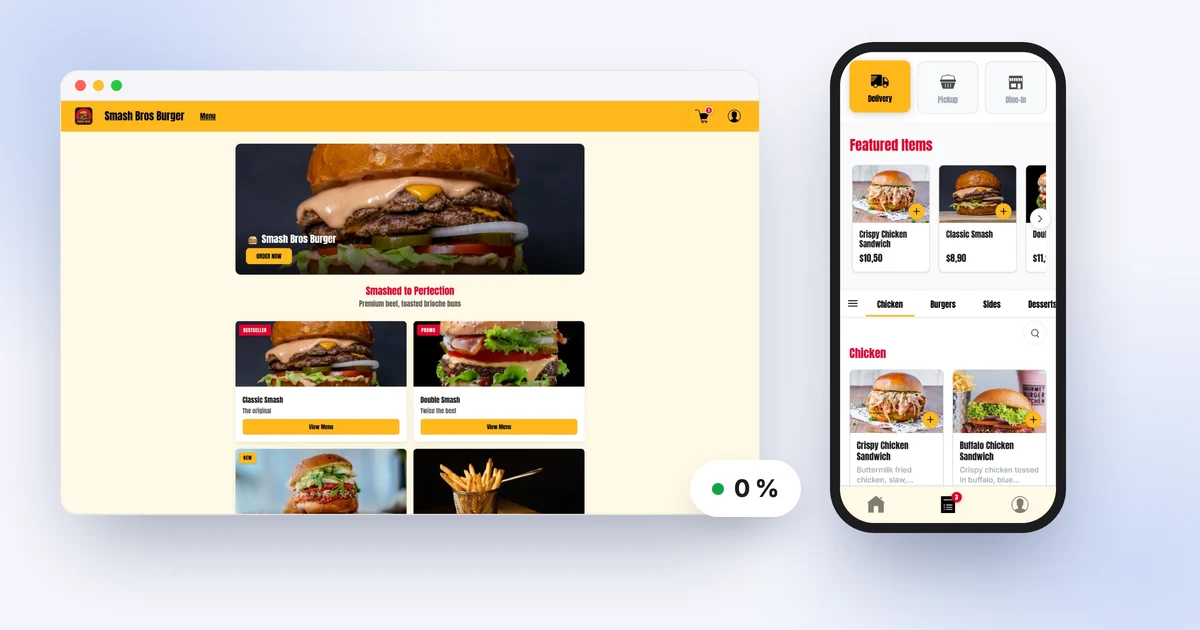
Your customers already order online. The only question is where: on a delivery app that takes a cut of every ticket, on your own ordering website, or with a phone call squeezed in between plates. In 2026, setting up online ordering for a restaurant or takeaway no longer needs a developer or a big budget. What it does need is the right choices, made in the right order.
This guide walks you through the options, the features a good restaurant online ordering system must have, and a plan to launch your channel in 30 days. It finishes with the part that matters most day to day: how to move your regulars to your direct channel without switching off the delivery apps.
Three ways to take orders online
1. Delivery apps: visibility, paid for with commission
Delivery platforms put you in front of customers who have never heard of you. That is their real strength. In return, they take a commission on every order, typically 25 to 35 percent of the ticket when they handle delivery, a little less when you deliver yourself or the customer collects.
On a £25 order, that is roughly £6 to £9 that never reaches your till, before you have paid for a single ingredient. The other catch: the customer belongs to the platform. You cannot contact them again or reward their loyalty, and they see your competitors every time they open the app. We ran the numbers in our article on the real cost of delivery platforms.
2. Your own ordering website or app: a subscription, zero commission
The second option is restaurant online ordering software in your own name. Customers order on your website (or in your app), pay online or on collection, and the order comes straight to you. You pay a fixed monthly subscription, however many orders you take.
The maths is simple: with a subscription of around £100 to £150 a month, moving just a few orders a day away from the apps covers the cost. And every customer who orders direct is a customer you can reach again.
A custom-built website or app is still possible, but the budget then runs into thousands of pounds, plus maintenance and developer accounts (Apple charges US$99 a year and Google a one-off US$25 to publish an app). For an independent restaurant, a subscription is almost always the more sensible route.
3. Phone and WhatsApp: free, but limited
Plenty of takeaways start this way, and it works for a few orders a day. The limits show up fast: the phone rings mid-rush, someone on the team is stuck on the line, mistakes creep in (“no onions, which burger was that for?”) and payment always happens on the spot. There is no up-to-date menu for the customer to browse, no order history and no loyalty.
The comparison at a glance
| Criteria | Delivery apps | Your own ordering website or app | Phone / WhatsApp |
|---|---|---|---|
| Cost | 25 to 35% commission per order | Fixed monthly subscription | Free, but costs staff time |
| New customers | Strong | Low at first, built over time | Very low |
| Customer data | Stays with the platform | Belongs to you | A paper notebook at best |
| Online payment | Yes | Yes, or pay on collection | No |
| Loyalty | Not possible | Points, promo codes, notifications | None |
| Order mistakes | Few | Few | Frequent |
The takeaway for most restaurants: keep the apps as a way to find new customers, and build a direct channel alongside them that gradually takes over. Our click and collect, delivery and pickup comparison helps you decide which fulfilment options to offer.
What a good online ordering system must do
Not all tools are equal. Before you choose, check these features one by one.
A menu with options and extras
Your online menu has to match what you sell at the counter: sizes, sauces, extras, meal deals. If a customer cannot order “burger meal with chips and a drink of their choice”, they will ring you, or go somewhere else. No tidy menu to put online yet? Our free menu maker lets you build one in minutes.
Opening hours, closures and pausing orders
The system should automatically refuse orders outside your hours, handle bank holidays and let you pause online orders when the kitchen is swamped. An order you accept but cannot serve on time costs you more than one you turn down.
Delivery zones and fees
If you deliver, draw your zones on a map with a fee per zone and, if needed, a minimum order. It is perfectly fine to start with click and collect only and add delivery later.
Online payment or pay on collection
Card payment online cuts down on uncollected orders and speeds up pickup. But plenty of customers still like to pay in person, so a good system gives them the choice: cash, card at the counter or card to the driver. Also check where the money goes: ideally straight into your own account, with no middleman holding the funds.
A live orders screen
Orders should arrive in real time with a sound alert on a phone or tablet. You accept with one tap, track progress (new, in preparation, ready) and see the customer’s notes. That is the screen at the top of this article.
A kitchen display
Once you get more than a few orders at once, a kitchen display screen (KDS) changes everything: the team sees what to prepare, ticks off items and knows how long each order has been waiting. No more tickets lost under a plate.
Notifications and loyalty
Customers want to know when their food is ready. You want them to come back. Push notifications, loyalty points and promo codes are what turn a one-off customer into a regular. And that is exactly what no delivery app will let you do with “its” customers.
Your ordering website, live the same day
Menu with options, pay online or on collection, live orders screen and kitchen display. 0% commission, fixed subscription.
Launch plan: your first 30 days
Having an ordering website is not enough: your customers need to find it. Here is a simple week-by-week plan.
Week 1: menu and settings
- Put your menu online with photos of your best sellers, short descriptions and every option. If the menu is long, start with your top 15 to 20 items.
- Set your opening hours, collection options and zones if you deliver.
- Choose your payment methods: card online, pay on collection, or both.
- Place three test orders with your team from a phone to check the whole journey through to the kitchen.
Week 2: QR codes everywhere
- QR code on the counter, with a clear message: “Order here next time and skip the queue”.
- QR codes on the tables if you have seating: customers order from their seat without downloading anything.
- A sticker or flyer in every bag, takeaway and delivery alike, including orders from the apps. It is the single most profitable step in this whole plan.
Week 3: Instagram and Google
- Put your ordering link in your Instagram bio and in your story highlights.
- Add the ordering link to your Google Business Profile. Lots of customers search your name on Google before ordering, so that button needs to lead to you.
- Post a simple announcement: a photo of your signature dish, the link and your launch offer.
Week 4: the first-order offer
- Create a promo code for first orders only, such as 10 percent off or a free drink. It gives people a concrete reason to try.
- Switch on loyalty so the second and third orders follow naturally.
- Measure: direct orders per day, average order value and the share of customers who come back. Compare week on week.
On the tax side, nothing changes: hot takeaway food is standard-rated for VAT whether the order comes from the counter, an app or your own website, and cold takeaway items follow their usual rules.
Moving regulars to your direct channel without leaving the apps
Switching off the delivery apps overnight would be risky: they still bring you new customers. The realistic goal is to move your regulars to your direct channel, step by step.
Focus on the people who come back. A customer who orders from you every week through an app costs you commission every week. They are the ones to win over first, not the occasional visitor.
Give them a real reason to switch. The same price is not always enough. Loyalty points on every order, a reward after a few orders, a first-order code and offers reserved for your direct channel make the difference.
Use every physical touchpoint. The delivery bag or the counter is the only moment you meet a platform customer in person. A flyer in the bag with the QR code and a welcome offer is your best tool.
Stay consistent. Same menu, same photos, same signature dishes on every channel. Customers should recognise your restaurant, not a generic listing.
To go further, our playbook for leaving delivery platforms sets out the method step by step.
How XPRIO fits into this plan
XPRIO brings everything in this guide together in one subscription: a restaurant online ordering system with an ordering website that goes live the same day, an iOS and Android app in your name published on the stores in a few days, QR table ordering, takeaway and click and collect ordering and delivery with your own zones.
Behind the scenes, orders land on the orders screen in real time on a phone, tablet or computer, and the kitchen display runs on any tablet. Online payments go through your own Stripe account, and you can also accept cash, card to the driver or payment on collection. Loyalty, promo codes (including first-order codes), push notifications and ready-made texts to announce your channel are all included.
All with zero commission: £109 a month, no contract, with a 10-day free trial and no card required. Don’t fancy typing in your menu? Send it to the team and they will put it online within 1 business day. Full details are on the pricing page.
Launch online ordering for your restaurant
Ordering website, your own branded app, QR codes and loyalty. 0% commission, 10-day free trial with no card required.
Start my free trialKey takeaways
- There are three ways to take orders online: delivery apps (visibility, 25 to 35 percent commission), your own website or app (fixed subscription, customers you keep) and the phone (free, but limited).
- A good online ordering system handles options, opening hours and pausing, delivery zones, online or on-collection payment, a live orders screen, a kitchen display, notifications and loyalty.
- Launching takes 30 days: menu and settings, QR codes on the counter, tables and bags, Instagram and Google links, then a first-order offer.
- Keep the apps to get discovered, and move your regulars to your direct channel with loyalty and a flyer in every bag.
Online ordering is no longer a tech project. It is a sales channel like your counter, with simple rules: a clear menu, a smooth journey and a genuine reason for customers to order from you rather than anywhere else.
Frequently asked questions
How do I set up online ordering for my restaurant?
Pick an online ordering system (delivery apps, your own branded ordering website, or both), put your menu online with options and opening hours, then share the link everywhere: counter, bags, Instagram and your Google listing. An ordering website takes a few hours to configure.
How much does an online ordering system for a restaurant cost in the UK?
Commission-free systems usually charge a fixed monthly subscription, often somewhere between £50 and £150 depending on the features included. Delivery apps typically take 25 to 35 percent commission on each order instead.
Can I take online orders without paying commission?
Yes, with an ordering website or app in your own name billed as a subscription. You only pay standard card processing fees, and you can also let customers pay on collection.
Do I need to leave delivery apps to have my own ordering website?
No. Most restaurants keep the apps to reach new customers and use their own channel for regulars. Both can run side by side without any trouble.
Are phone or WhatsApp orders enough for a takeaway?
For a handful of orders a day, yes. Beyond that, mistakes when taking orders, a ringing phone during service and no online payment quickly cost more than a proper ordering system.
What equipment do I need to receive online orders?
A phone or tablet is enough to see orders arrive in real time. A second tablet in the kitchen and a printer are useful but optional.
Get hands-on with XPRIO
Ordering website the same day, mobile app within a week, order management included. No commitment.
Try free for 10 daysRelated articles
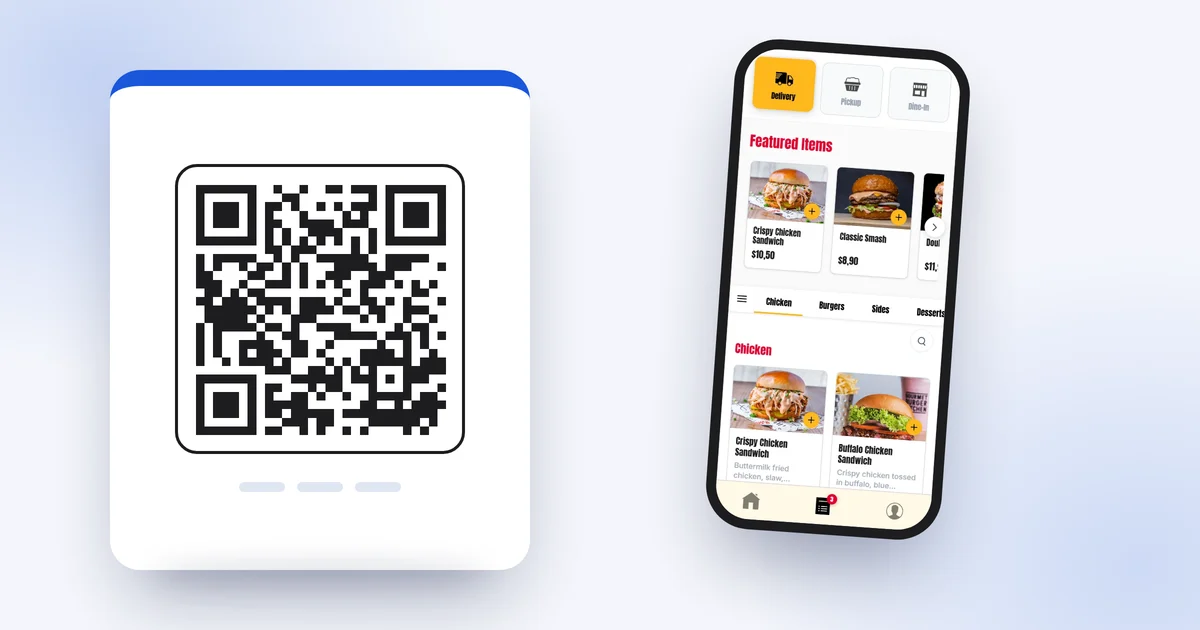
How to Create a Free QR Code Menu for Your Restaurant (2026 Guide)
Free QR code menu for restaurants: the step-by-step method with a PDF and a free generator, its limits, then QR code table ordering with XPRIO.
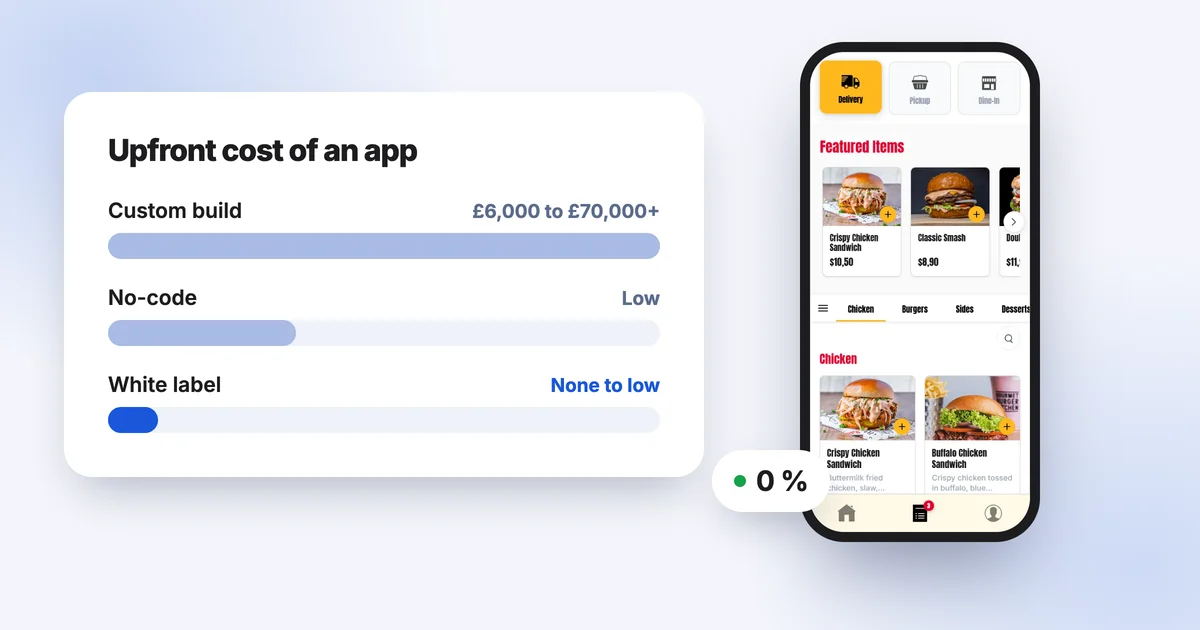
How Much Does a Restaurant App Cost in 2026? Prices, Hidden Costs and Alternatives
What a restaurant app really costs in 2026: custom development, no-code builders or a white-label subscription. Realistic ranges, hidden costs and how to compare them with delivery app commission.
How to Increase Pizza Sales: 10 Practical Ways to Grow Your Pizza Shop
Average order value, loyalty cards, quiet nights, commission-free online ordering, click and collect, Google reviews, Instagram and lunch deals: 10 practical ways to grow your pizza takeaway.